StarTech.com PEX4M2E1 x4 PCIe to M.2 NVMe/AHCI SSD Adapter
StarTech.com PEX4M2E1 x4 PCIe to M.2 NVMe/AHCI SSD Adapter
Low stock: 5 left
Save 16%
Couldn't load pickup availability
Free shipping across the continental US & free returns


Description
StarTech.com PEX4M2E1 x4 PCIe to M.2 NVMe/AHCI SSD Adapter
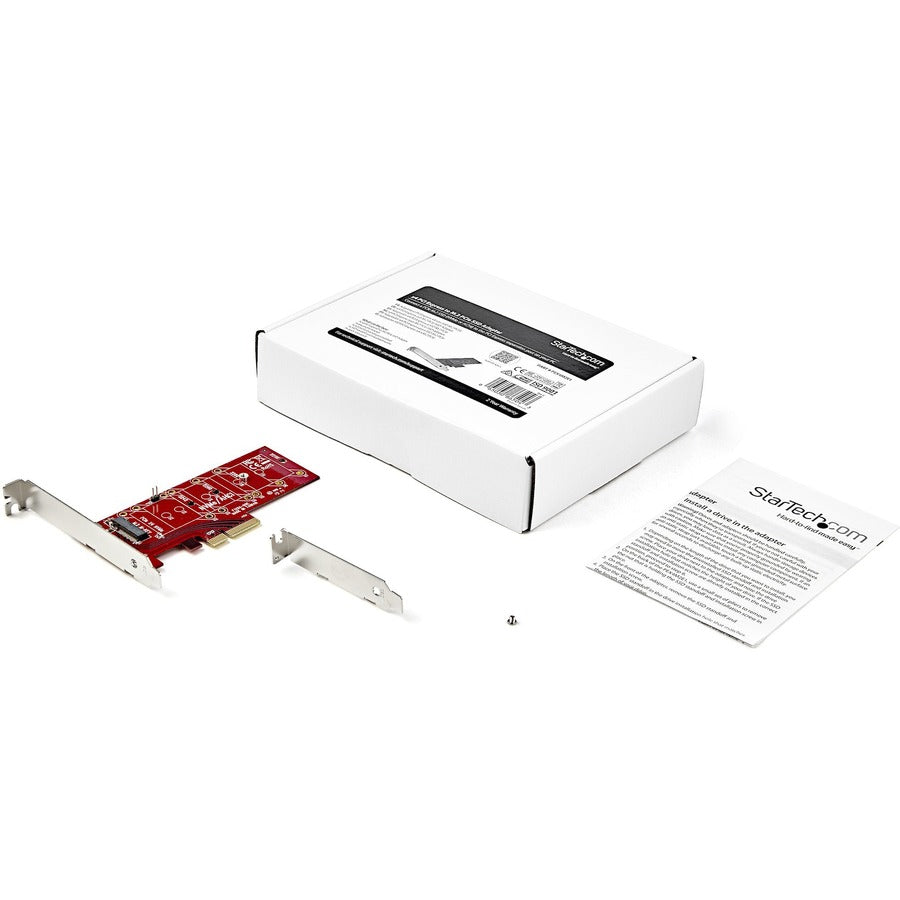
This is a StarTech.com x4 PCI Express to M.2 PCIe SSD Adapter - M.2 NGFF SSD (NVMe or AHCI) Adapter Card. The PEX4M2E1 enables installation of a single M.2 PCIe SSD into a PCI Express slot on desktop computers or servers. MPN: PEX4M2E1; UPC: 065030865043. It supports both NVMe and AHCI protocols for versatile SSD compatibility.
Key Features of StarTech.com PEX4M2E1 M.2 SSD Adapter
- PCIe 3.0 x4 Host Interface – Provides full bandwidth connection for M.2 PCIe SSDs in x4 slots or larger.
- M.2 NGFF SSD Support – Compatible with NVMe and AHCI protocol drives in M-Key configuration.
- Multiple Form Factor Compatibility – Fits M.2 2230, 2242, 2260, and 2280 SSDs.
- Dual Bracket Design – Includes standard profile and low-profile brackets for various PC cases.
- ASMedia ASM2812 Chipset – Ensures reliable data transfer without additional drivers; OS independent.
- Backward Compatibility – Works in PCIe 2.0 slots at reduced speeds.
Comprehensive Technical Specifications
| Specification | Details |
|---|---|
| Brand | StarTech.com |
| Manufacturer | StarTech.com |
| MPN | PEX4M2E1 |
| UPC | 065030865043 |
| Host Interface | PCI Express 3.0 x4 |
| SSD Interface | M.2 (NGFF) PCIe, M-Key |
| Supported Protocols | NVMe, AHCI |
| Supported M.2 Sizes | 2230, 2242, 2260, 2280 |
| Chipset | ASMedia ASM2812 |
| Bracket Types | Standard Profile, Low Profile |
| Product Dimensions (LxWxH) | 3.3 x 0.8 x 0.7 in (85 x 20 x 18 mm) |
| Package Dimensions (DxWxH) | 5.60 x 1.30 x 2.60 in |
| Weight | 0.20 lb |
| Length Description | Short |
Expert Installation Guide for PEX4M2E1 Adapter
Simple plug-and-play installation in 5-10 minutes; PC builders recommend ESD protection.
- Power Down: Shut off PC, unplug power, ground yourself. Pro tip: Use anti-static wrist strap.
- Open Case: Locate available PCIe x4 (or x8/x16) slot.
- Install Adapter: Insert firmly into slot, secure with screw using appropriate bracket.
- Mount SSD: Slide M.2 SSD into adapter slot, fasten with screw.
- Close & Boot: Reassemble, power on; SSD should appear in BIOS/OS. Tip: Enable NVMe in BIOS if needed.
Why Choose StarTech.com PEX4M2E1 SSD Adapter?
StarTech.com delivers proven reliability for expanding storage with M.2 PCIe SSDs in PCIe systems, supporting high-speed upgrades without compatibility issues.
Boost your PC storage performance—Order StarTech.com PEX4M2E1 today!
MPN: PEX4M2E1
Compatible Brand: StarTech.com
Compatible Port: PCI Express x4
Number of Ports: 1 Port
Model: PEX4M2E1
Item Length: 3.3 in
Item Width: 0.8 in
Item Height: 0.7 in
Brand: Does not apply
Type: Does not apply
UPC: 065030865043